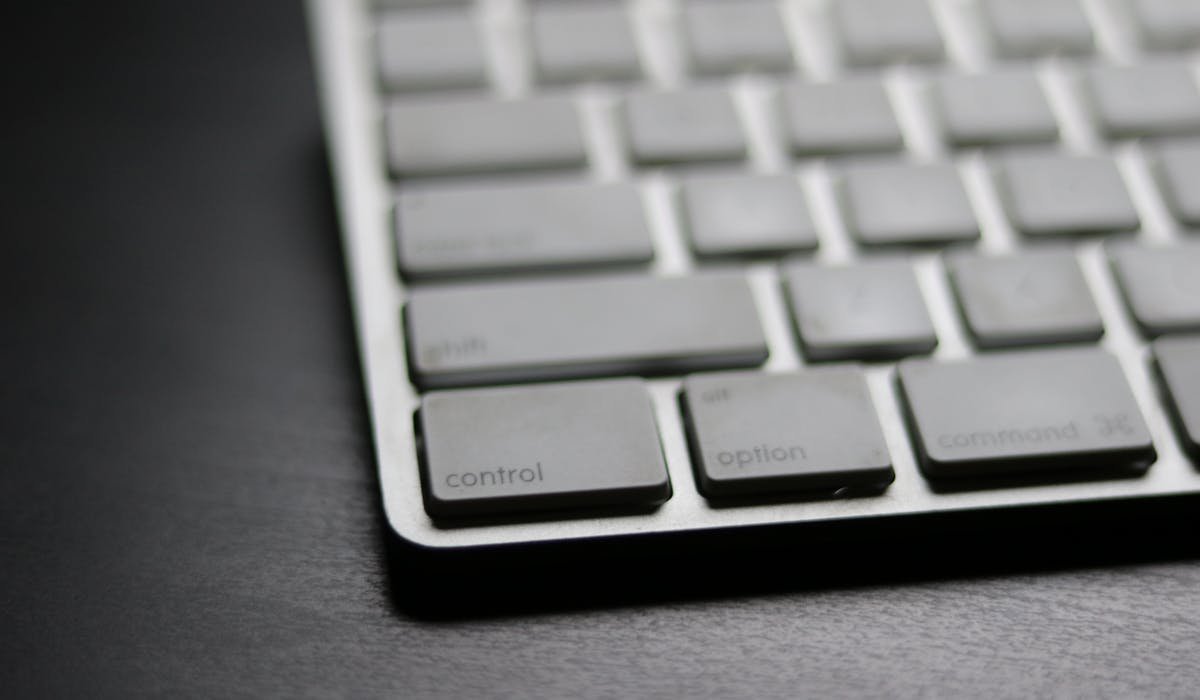
I've been through five wireless keyboards in the last two years trying to find the one that actually feels right with a Mac. Some looked great but felt mushy. Others typed beautifully but didn't pair properly with macOS. A few drained their battery in days. Finding a good Mac keyboard is harder than it should be.
The five I'm going to talk about are the ones I'd actually buy again. Not just popular picks from forums – keyboards I tested side by side for at least three weeks each. Each has a different strength so the right one depends on what you actually do all day.
Quick comparison at a glance
| Keyboard | Type | Price | Best for |
|---|---|---|---|
| Apple Magic Keyboard | Scissor switch | $99-$199 | Mac users who want zero setup |
| Keychron K2 | Mechanical | $80-$110 | Typists who want clicky feel |
| Logitech MX Keys Mini | Scissor switch | $99 | Compact desks, multi-device |
| Logitech K380 | Membrane | $40 | Budget pick, travel |
| Satechi Slim X1 | Scissor switch | $80 | Cheaper Magic Keyboard alternative |
Apple Magic Keyboard – the default choice
The Magic Keyboard is what comes with most iMacs and what every Mac user has typed on at least once. Apple makes the keys low-profile with a scissor mechanism that's quieter than mechanical keyboards but more tactile than a laptop chiclet. The build is solid aluminum, the weight feels premium, and the rechargeable battery lasts about a month per charge.
I use the Magic Keyboard with Touch ID on my main Mac mini setup. Touch ID alone is reason enough to pick this one if you sign into things often. Unlock with a fingerprint, approve App Store downloads, confirm Apple Pay transactions. None of the other keyboards on this list have that.

The downsides – it's expensive at $99 for the standard version and $199 with Touch ID and numeric keypad. The key travel is shallow so people coming from mechanical keyboards find it flat. And if you ever switch to Windows or Android, the Mac-specific key layout (Command instead of Windows) gets in the way.
For pure Mac users, this is the safest pick. It connects instantly without any pairing dance, the macOS keyboard shortcuts all work natively, and there's nothing to configure. Plug in once via USB-C to set it up, then it's wireless from there.
Keychron K2 – mechanical for typing
I switched to the Keychron K2 about a year ago and it's changed how much I want to type. Mechanical keyboards have a different feel – each key press has a satisfying physical click rather than the mushy thud of scissor switches. The K2 specifically has 75% layout which means full function row but no numpad. Saves desk space while keeping the keys you actually use.
What makes Keychron special for Mac users is the dedicated Mac key layout. There's a physical switch on the back that toggles between Mac and Windows modes. In Mac mode, the keys are labeled correctly – Cmd, Option, Control. The function keys also work with macOS shortcuts like Mission Control and Launchpad.
You pick the switch type when buying. Three main options:
- Red switches – linear, quiet, smooth keypress without a bump
- Brown switches – tactile bump, slight click, balanced for typing and gaming
- Blue switches – tactile and clicky, loudest, classic mechanical feel
For office use, browns are the sweet spot. They give you the satisfaction of mechanical without annoying your coworkers. Blues are too loud for shared spaces. Reds are good for gaming but feel mushier than brown for long typing sessions.
The battery lasts about two weeks per charge with the backlight on. Without backlight, more like a month. RGB lighting if you want it, plain white backlight on the cheaper version. Bluetooth pairing works with three devices, switch between them with key combinations. The build quality is plastic frame but feels solid.
Logitech MX Keys Mini – for multi-device users
The MX Keys Mini is what I recommend for anyone juggling Mac, Windows, and iPad. The keyboard has three buttons at the top that switch between three paired devices instantly. Press F1 – your Mac. Press F2 – your iPad. Press F3 – your Windows laptop. The whole keyboard reroutes input in under a second.
The keys themselves are spherical-dished scissor switches that feel similar to a MacBook keyboard but with slightly more travel. The dish shape catches your fingertips so you don't slip off keys when typing fast. After using this for a few weeks, going back to flat keys feels weird.
Backlight is auto-adjusting based on ambient light. Walk into a dark room, the keys light up. Work in sunlight, the backlight turns off to save battery. Battery lasts about 10 days with full backlight or up to five months without. USB-C charging.
The downside compared to Magic Keyboard – no Touch ID. And the keys are slightly louder than Apple's. But for $99 you get more flexibility and significantly better cross-platform support.
Logitech K380 – the budget pick
For $40, the K380 is hard to beat. It's small, light, runs on two AAA batteries, and pairs with three devices. The keys are round and membrane-based so the feel is mushy compared to scissor switches. But for casual typing, it's fine.
I keep one in my bag for travel and another at my parents' place for when I'm there for the weekend. The small size fits in any backpack. The AAA batteries last two years – no charging cable to remember. Bluetooth connection is reliable across iPad, MacBook, and iPhone.
The keys are not great for sustained writing. The round shape and shallow travel makes typos more common than with proper rectangular keys. For 30 minutes of email writing it's fine. For 4 hours of coding or writing, your hands will hurt.
Satechi Slim X1 – Magic Keyboard alternative
If you want the Magic Keyboard look and feel but cheaper, Satechi's Slim X1 is the closest match. Aluminum body, scissor switches, low-profile keys. Looks almost identical to Apple's offering at $80 instead of $99 to $199.
The feel is genuinely similar – same key travel, same tactile bump, same spacing. Pairs with three devices via Bluetooth like the Logitech options. USB-C charging port. Battery lasts about three weeks per charge.
What it lacks compared to Apple's is the polish. Key labels are silk-screened instead of laser-etched so they wear over time. The metallic finish is anodized aluminum but slightly less premium. And no Touch ID, obviously. Still, if you want that Apple aesthetic for less money, Satechi delivers.
How to pick the right one for you
Think about how you actually use a keyboard before spending money:
- Only Mac, want Touch ID – Apple Magic Keyboard with Touch ID, $129+
- Only Mac, want best feel – Keychron K2 with brown switches, $90
- Mac + Windows + iPad – Logitech MX Keys Mini, $99
- Travel and casual use – Logitech K380, $40
- Apple look without Apple price – Satechi Slim X1, $80
- Heavy code/writing all day – Keychron K2 brown switches
The Magic Keyboard is the safest default. But if you can spend an hour at an Apple Store or Best Buy trying keyboards, you might find you prefer mechanical or a smaller layout. The keyboards on this list all work great with macOS so picking based on feel is the right move.
Other options I didn't love
I tested a few keyboards that didn't make this list:
- Logitech K780 – has built-in phone holder but feels old, keys too soft
- Razer Pro Type Ultra – mechanical but RGB is overkill, Mac compatibility quirky
- Microsoft Designer Compact – decent build but PageDown placement is wrong for Mac
- Anker Ultra Slim – cheap but feels cheap, keys wobble
None of these are bad keyboards. They just have specific issues that make them not great for Mac users specifically. The five on the main list above are better picks for the same price ranges.
Final verdict
If I had to pick one keyboard for someone who hasn't typed on a mechanical, I'd say Apple Magic Keyboard with Touch ID. It does everything Mac users need, looks perfect with the rest of the setup, and Touch ID becomes essential once you get used to it.
If you write or code all day and want maximum typing comfort, the Keychron K2 with brown switches is the upgrade pick. Mechanical keys reduce fatigue over long sessions and the Mac-specific layout works without any setup.
Which one are you leaning toward? Drop your typing habits in comments and I'll suggest the best fit. Mechanical vs scissor is such a personal preference that I always want to know more before recommending.